Disclaimer: I’m not going to get into any debate about intellectual property here, though I’ll probably open that drawer one day. Everyone should do with the tools at their disposal what they see fit. Accessing content from entertainment oligopolies with astronomical profits is not incompatible with economically supporting other alternatives whose business model isn’t excessively destructive.1
Today I’m going to tackle explaining how Stremio works — something I’ve become something of an evangelist for, and whose installation I’ve forced onto every TV, laptop, and tablet in my immediate circle.2
Stremio is a legal, free, and open-source media player available for almost any device. What sets it apart from other players is its extensive collection of extensions (addons), especially those that allow streaming torrents, in addition to the official ones included with the installation: OpenSubtitles (for subtitles) or Cinemata (to fetch the content catalogue). Torrentio is probably the most well-known addon, giving you access to an enormous catalogue of films, series, and other audiovisual content for free. No pop-ups, sketchy ads, near-impossible captchas — my ability to identify a car in four blurry pixels is getting worse — or anything like that.
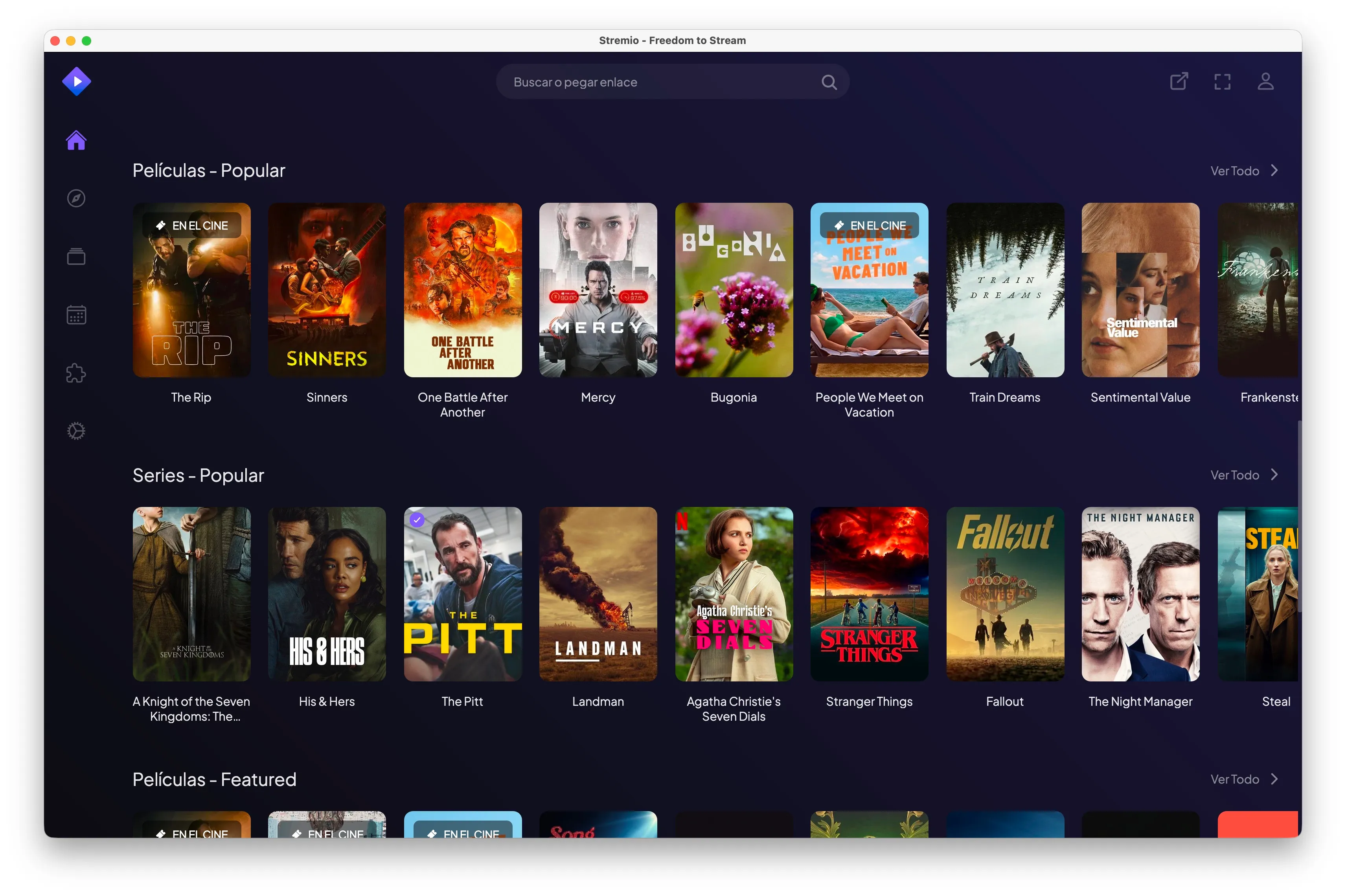
How to install Stremio+Torrentio
- First, go to Stremio’s website and create an account. As always with this kind of service, it’s best to use a secondary email address with made-up details.
- Download Stremio from their official website for your device and sign in. I recommend doing the initial setup from a computer (macOS/Windows/Linux). Stremio syncs your configuration, so afterwards you’ll just need to sign in on your phone/tablet/TV without repeating all these steps.
- Once you have Stremio, you need to add Torrentio. To do this, go to this configuration page. Set the following options:
- Providers. You can leave them all checked if you like; I’ve excluded countries whose languages I don’t speak to avoid results dubbed into those languages.
- Sorting. How results will be ranked.
- By quality then seeders. Use this if you’re not going to use a debrid service.
- By quality then size. Use this if you’ve decided to use a debrid service, since seeds are irrelevant when you’re not torrenting directly.
- Priority language. Stremio defaults to English as the priority language. If you select another language from the list, it will rank above English. If you want English first and then Spanish, you’ll need to install Torrentio twice: first without selecting a priority language (English by default), then repeat the process with Spanish as priority. When selecting content you’ll be able to choose between the English-first or Spanish-first version.
- Exclude resolutions. Choose which resolutions Stremio should exclude. You can select Cam and Screener to hide very low quality options.
- Max results per quality. Lets you limit the number of results; leave it blank to show them all.
- Video size limit. It’s unlikely Stremio will max out your bandwidth, so you can also leave this blank.
- Debrid provider. The debrid provider is an optional, paid feature that improves the Stremio+Torrentio experience by making content streaming much faster. If you prefer to use Torrentio completely free, leave it blank — more on debrid below if you’re interested.
- Click Install and Stremio should automatically open with a pop-up to install the addon. Accept and you’re done.
Done. You can now select a film or series and hit play. In the right-hand sidebar you’ll have various result options based on your configuration, which will follow you to any other device you sign into. To have content available offline, play whatever you want to download in the desktop version, right-click anywhere on the video, and you’ll see the direct download option in the menu.
Optional: debrid.
To complete the experience you can use a debrid service. These work as intermediary servers that cache content so you don’t need to use torrents directly. The advantages? It’s considerably faster, with fewer buffering interruptions, and allows playback on devices that try to block torrent streaming, such as iOS.
Debrid services are not free, but prices tend to be quite competitive — solutions like RealDebrid cost €9.99 per quarter. It’s worth noting that you cannot use RealDebrid on two devices simultaneously if they’re on different networks, with the risk of having your account suspended. On the same network, multiple simultaneous connections are fine. In short: sharing the account is tricky across different households.
How to set up RealDebrid
- Go to RealDebrid’s website and register.
- Select “Premium Offers” from the top menu and choose one of the options. The first time you can pick the 15-day offer and, if you like it, upgrade. RealDebrid uses card payment and does NOT auto-renew. When your time runs out you’ll see an error message when trying to play something in Stremio. I use the three-month option because you never know when the service might go down. With loyalty points you can redeem free months, so every so often you get one free.
- Once you’ve paid, go to “My Devices” and in the “API Private Token” section copy the string of text.
- Going back to step 7 of the previous tutorial, select RealDebrid from the dropdown and paste the API Key. You can leave the two options that appear unchecked. Install and that’s it.
Although this tutorial covers RealDebrid, you can use any of the options in the dropdown — instructions in English are available here.
The iOS case
Apple has strict policies around torrent playback and typically blocks apps that allow it from appearing in the App Store. For a brief period Stremio was natively available for Apple TV, iPad, and iPhone, but just as it came, it disappeared. There is an alternative way to use Stremio on iOS, but it requires a debrid service to be set up.
Assuming you’ve already installed Stremio+Torrentio with a debrid provider, to use it on iOS follow these steps:
- Download the official VLC app for iOS.
- From your iPhone/iPad using Safari, go to this website.
- In the browser, tap the share icon and from the menu select “Add to Home Screen” (it may be inside the ‘More’ option).
- You can now use the icon created on your home screen, similar to an app. When you open it, a pop-up will appear saying “the streaming server is not available” — tap “don’t show again”.
- Sign in with the same credentials you used on the desktop version, then go to settings: top-right corner, ‘Settings’.
- Scroll down to “play in external player” and switch from “disabled” to VLC.
From now on, whenever you try to play something from iOS, the VLC app will open. This method is an alternative and may occasionally fail, especially if you play several things in a row, so you may need to close and reopen VLC from time to time.
Common errors
Torrentio doesn’t open the installation window in Stremio
When you finish filling in the fields on the Torrentio configuration page in step 8 and click Install, if Stremio doesn’t open, look just below the Install button — in small text you’ll see “copy link”. Once you copy it, go to Stremio → Addons → and in the “search addons” field (top right) paste the link. The pop-up should appear.
Videos won’t load
If you haven’t set up a debrid service, some torrents may have no seeds available and won’t load. In that case, try selecting a different result — aim for as high a seed count (next to the 👤 icon) as possible — or set up a debrid service.
It’s also possible that during major football matches, Torrentio’s servers won’t work due to restrictions imposed by LaLiga. In that case, you can wait a while and try again, or install the Comet addon, which is a free streaming service similar to Torrentio but unaffected by these restrictions.
Footnotes
-
Filmin is an alternative based in Spain that doesn’t continuously raise its prices and has a stronger commitment to independent films. ↩
-
If you already use Stremio and happen to be your family’s designated IT person, know that a very cool Reddit user has built a panel for managing multiple accounts at once. ↩